
Hi,
GUI are for dumbs and for lazy likes me or for beginners. Few days ago a new IT guy joined our company, he is kind of fresher. I first which we gave him is to create few Groups in active directory. He is new so i don’t want him to sit on any live server or mess with “Active Directory Users and Computers Console”, for him i wrote a little bit tiny tiny powershell based GUI app.
You can download the script from here : https://dl.dropbox.com/u/17858935/Create_Groups_in_AD_Community.zip
This Script is based on Active Directory module, so before running this script make sure you have RSAT tools installed.
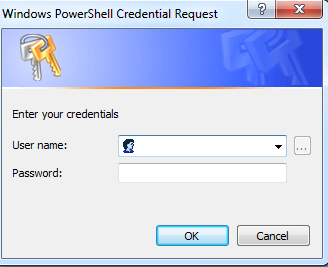
When you run the script first time , it ask you for Username and password, please provide your domain administrator credentials.
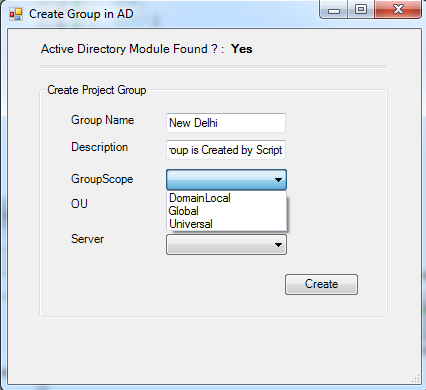
After providing the credentials a GUI will open.
On the Top of the GUI i added a little bit of information about the presence of “Active Directory Module”, and if the Module found is equal to “NO” then this GUI wont work.
In Group Name : Provide the desired group name which you want to create.
In Description : Provide a little bit information about the Group.
In Group Scope: Select your desired Group Scope.
In OU: Select the OU location of The Group.
In Server: Choose your nearest domain controller.
Your final screen will be look like below. and now click on create.
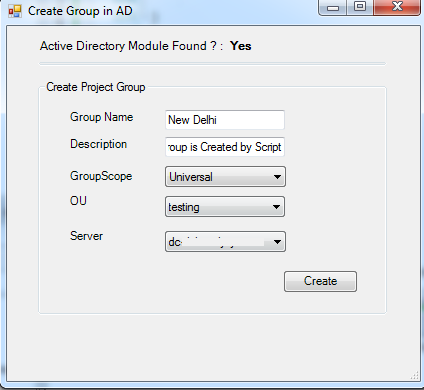
That’s all, Our Group is created successfully.

Download Link : https://dl.dropbox.com/u/17858935/Create_Groups_in_AD_Community.zip
Thanks
Aman Dhally
HI Aman 🙂
How can one create GUI scripts in PowerShell?
HI Bobby,
You can use professional Script Editors like “PowerShell Studio”, “PowerGUI Professional” to create a GUI, you can also use “Windows Presentation Framework” to design it 🙂
thanks
aman
Hi Bobby,
I have been using Primal Forms, easy to use GUI creator for powershell, it is a part of Powershell studio but I found a standalone version on the “world wide google” Its very point and clicky but have found it very usefull.
http://www.sapien.com/software/powershell_studio
Thanks
Richard
Hi Aman,
There are not many GUI based powershell scripts out there. Would you mind writing another article similar to the above where IT Service Desk can easily create new group by copying existing group with its membership?
I have googled and havent found one. I fairly new to powershell and cannot figure it out.
Thanks you,
doe you still have this ? this is what i’m looking for 😀
Do you still have this? is there a current link to get this?