
Hi,
Good Evening everyone.
In my previous post, we created a Powershell function using Ms Outlook com objects. That functions creates new calendar meetings.
We use that function on Powershell console or in our scripts too.
Today I converted the script in to module , so that we can use it whenever we want.
I named the module to “OutlookTools”.
Today i added one more function to the module.
Now we can create a new Outlook contact using this new function. The Name of the function is “New-OutlookContact”.
Using “New-OutlookContact” we can create a new contact on the Powershell console, without switching to the Outlook applications.
How to do that.
Let me show you.,
- First download the “OutlooTools.Psm1” and .psd1 file from https://github.com/AmanDhally/OutlookTools
- Create a folder Name “OutlookTools” in “Libraries\Documents\WindowsPowershell\Modules”
- and paste both files there.
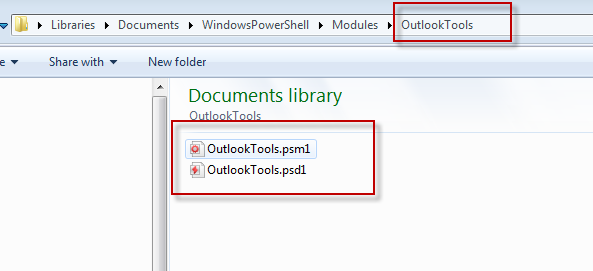
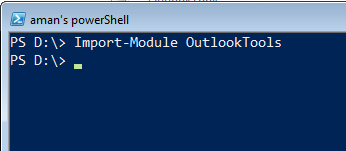
Now open Powershell console and run the cmdlet,
|
Import-Module OutlookTools |
By running the Get-Command cmdlet, we can see which cmdlet and function this modules had added.
|
Get-Command -Module outlooktools |

In my previous post, I already explained about “New-OutlookCalendarMeeting” , and the “New-outlookContact” is a new function.
As I mentioned above that using “New-OutlookContact” we can create a new outlook contacts.
lets try creating some contacts.
Example : 1
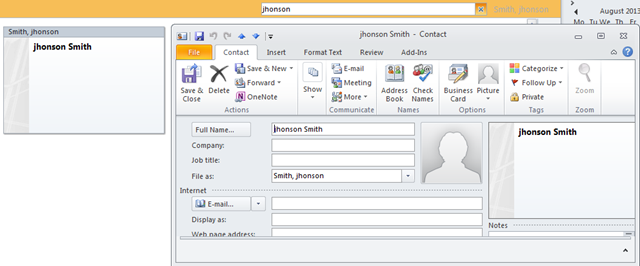
Create a new simple outlook contact using first name and last name.
|
New-OutlookContact –FirstName “jhonson” –LastName “Smit |

and here is the result in Outlook.
Example 2 :
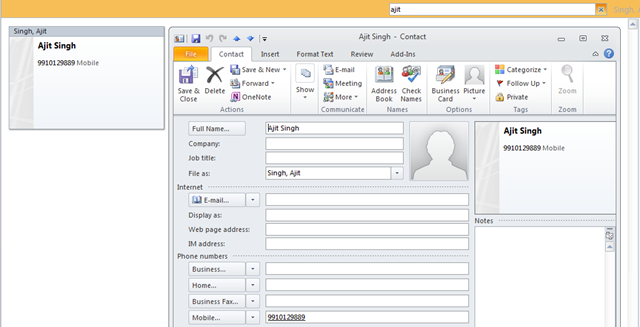
Create a new contact with Mobile Number.
|
New-OutlookContact –FirstName “Ajit” –LastName “Singh” –MobileNumber “9910129889” |

and here is the result again.
Example : 3
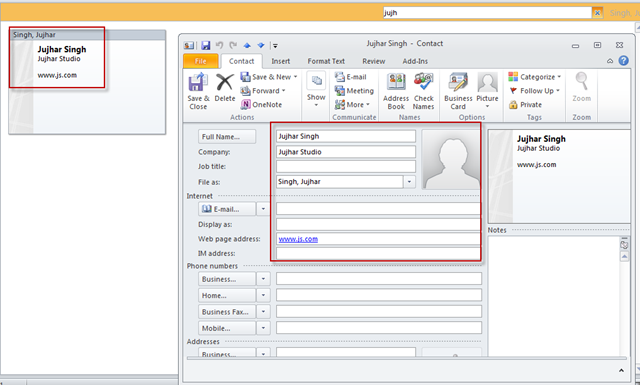
Create another outlook contact, with website, and company name field.
|
New-OutlookContact –FirstName “Jujhar” –LastName “Singh” –Website “www.js.com” –Company “Jujhar Studio” |

and it works well too.
Example : 4
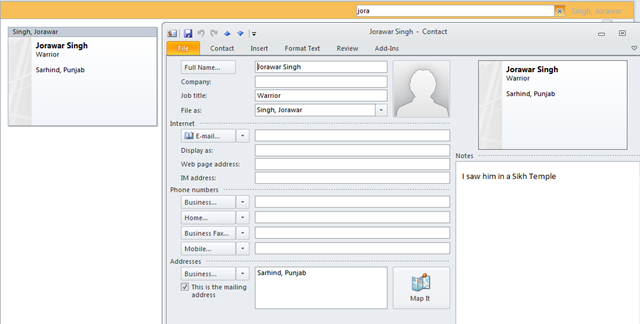
Create an another contact with , Notes, and Job title and business address.
|
New-OutlookContact –FirstName “Jorawar” –LastName “Singh” –BusinessAddress “Sarhind, Punjab” –JobTitle “Warrior” –Notes “I saw him in a Sikh Temple” |

working perfectly.
Example:5
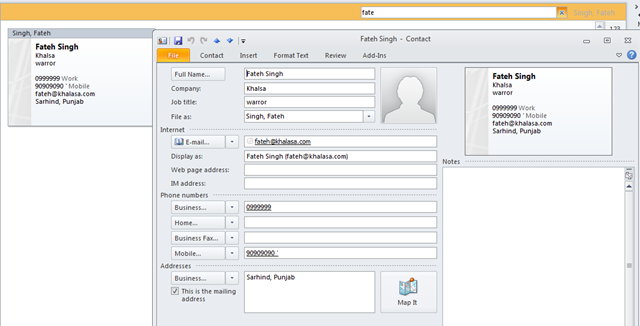
Lets use all parameters.
|
New-OutlookContact –FirstName “Fateh” –LastName “Singh” –Birthday “05/01/1999” –BusinessPhone “0999999” –BusinessAddress ‘Sarhind, Punjab’ –Company “Khalsa” –EmailAddress ‘fateh@khalasa.com’ –HomeAddress ‘Talwandi,Punjab’ –JobTitle ‘warror’ –MobileNumber “90909090′ |

and here you go.,
to know more about the functions, after importing OutlookTools module run.
- Get-Help New-OutlookCalendarMeeting –Full
- Get-Help New-OutlookContact –Full
You can download the module from below link:
Download Link : https://github.com/AmanDhally/OutlookTools
I hope you will like it.


One thought on “Powershell and Outlook: Create a new Outlook Contacts using Powershell Module.”
Comments are closed.